REVIEW · ATHENS
Ancient Agora Self-Guided Tour with 3D & Audio (No Ticket)
Book on GetYourGuide →Operated by Culture App · Bookable on GetYourGuide
Democracy starts with a phone and earphones. The Ancient Agora is where Athens’ civic life took shape, and this self-guided app adds audio, images, and 3D reconstructions so you can read the site like a story while you walk. It’s built for independent exploring, not waiting around for a group.
I especially like two things. First, the app’s offline functionality means you can keep moving even if your signal disappears. Second, the 3D models and 360° views help you make sense of ruins that otherwise look like scattered stone.
One consideration: the experience can feel a bit shallow at times, and it may take a moment to figure out which audio matches which spot—especially if you’re standing there looking at signage that’s vague or hard to match.
In This Review
- Key things to know before you go
- Ancient Agora: why this kind of audio tour fits the place
- What the 3D, 360° views, and audio actually do for your walk
- Entering the site: set up your phone so it works where it matters
- A practical way to use the app as you walk the Agora
- 1) Start with the Agora as a civic neighborhood
- 2) Look for the democracy story thread
- 3) Follow the philosophical locations at your own pace
- 4) Use the stoas and temples section to anchor daily life
- 5) Make a point of seeing the Temple of Hephaistos
- Price and logistics: value at $8, then the entrance ticket
- Crowd-proof exploring: control your pace and skip the stress
- Language options: multiple languages are great, but audio matching still matters
- Content depth: where this app shines and where it may feel too basic
- Who this tour suits best (and who might not love it)
- Should you book the Ancient Agora self-guided tour?
- FAQ
- Is the entrance ticket included?
- How much does the self-guided tour cost?
- How long is the tour valid after activation?
- Does the app work offline?
- What languages are available?
- How much space does my phone need?
- What devices are supported?
- Do I need to bring earphones?
- What do I receive with the purchase?
Key things to know before you go
- Offline-first design: download on Wi‑Fi, then use it on site without internet.
- 3D + 360° support: the app helps you visualize buildings that are gone.
- Multilingual audio: English, Greek, German, Spanish, Italian, French, Dutch, Chinese.
- Buy the entrance ticket separately: the tour price covers the app, not entry.
- GPS-based selection can be imperfect: you might need patience to align audio to monuments.
- Approx. 200MB storage: plan your phone space before you arrive.
Ancient Agora: why this kind of audio tour fits the place

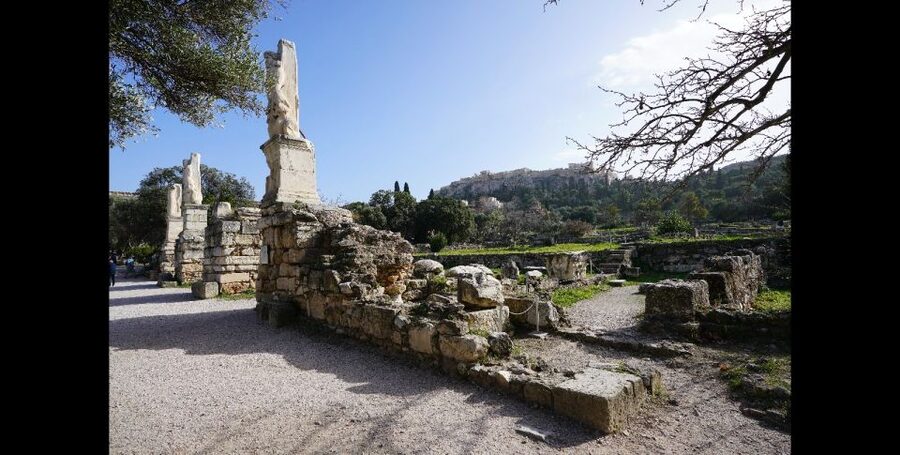
The Ancient Agora isn’t just one monument you point at. It’s a whole civic neighborhood from 6th-century BC Athens, where political decisions, administration, and commerce all mixed together. That layout is exactly why a self-guided format works well. You can stop at a few ruins, then move on when your curiosity is satisfied, instead of being pulled along by a schedule.
This tour’s main value is interpretation. The app points you toward the bigger story: where democracy got its start, and the philosophical conversation around places where figures like Socrates and other thinkers spent time. You’re not only looking at stone remnants—you’re trying to understand what the space meant day to day for ordinary Athenians.
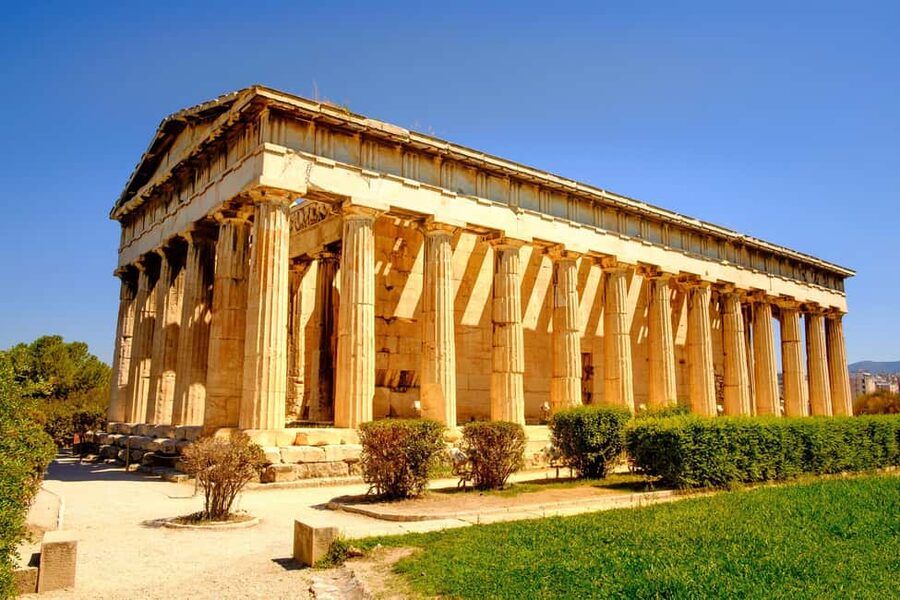
And yes, the site has one of the area’s most photogenic survivors: the Temple of Hephaistos, often described as Greece’s finest preserved temple. If you like archaeology that feels “readable,” this is a strong anchor moment in your walk.
A few more Athens tours and experiences worth a look


What the 3D, 360° views, and audio actually do for your walk

A lot of audio guides tell you what happened. This one tries to help you see what you’re missing.
Here’s how it helps in practice:
- Audio narration + text: you can listen while looking, then read the text if you want extra detail.
- 3D reconstructions: these give you a mental model of how monuments may have looked when standing.
- 360° panoramas and short videos: useful when a ruin’s purpose isn’t obvious from one angle.
- Multiple media types: if audio feels too abstract at a specific stop, you can switch to images or 3D.
The tour is designed to be used on your smartphone while you’re walking the Agora. That means the “lesson” stays anchored to the exact place you’re standing. It’s a simple idea, and it works—especially in a site where some structures are worn down enough that you’re forced to do detective work.
One practical note: several of the most common frustrations with digital guides usually come down to matching the right narration to the right location. The app uses GPS to help select audio, and that’s helpful in theory. In practice, you may find it takes a second to confirm you’ve got the correct monument loaded before you press play.
Entering the site: set up your phone so it works where it matters
This tour runs in a digital wrapper, so your success starts before you even reach the entrance.
You’ll want to:
- Download the tour content on Wi‑Fi before you arrive (offline use depends on it).
- Make sure your phone has about 200MB of storage available.
- Bring earphones and charge your phone fully.
- Check device compatibility: iOS 11.0+ or Android 5.1+.
The best time to download is earlier than you think. One reviewer-style tip from real-world use: if you leave it until the last minute, you’ll end up playing “download roulette” on questionable Wi‑Fi. Plan for a calm setup, not a frantic one.
Also, the tour is valid for 5 days from first activation. That means you can activate it, download the content, and use it across multiple walks if you’d like. If your visit gets derailed—late arrival, long lines for tickets, sudden rain—you won’t lose the tool. It’s still there.
A practical way to use the app as you walk the Agora
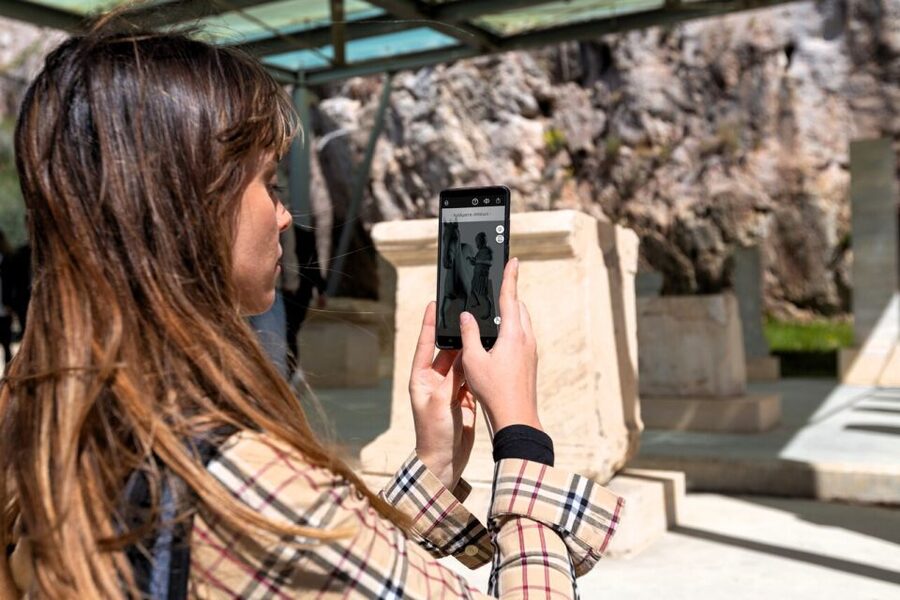
There’s no single official order you must follow (it’s self-guided). So I recommend you think of your route as a sequence of “themes,” not a fixed checklist. The app supports that because you’re encouraged to move at your own pace.
1) Start with the Agora as a civic neighborhood
Your early stops set the tone: political, administrative, and commercial life all happened here. On the ground, you’ll notice that the Agora isn’t a museum inside a building—it’s an outdoor space shaped by use over time.
In the app, start by listening to the audio framing the Agora as the place where citizens gathered, argued, traded, and voted. If the narration mentions democracy and early civic practice, treat it as your compass. Then when you walk toward a nearby monument or ruin, you’ll better understand why people would care about that specific spot.
If you’re sensitive to crowds, this is where the self-guided style pays off. You can pause long enough to read and then step away before the area gets packed.
You can also read our reviews of more guided tours in Athens






2) Look for the democracy story thread
The tour highlights the idea of the birthplace of democracy. Even if you only catch bits of it while walking, it helps you see the site as political technology, not just architecture.
What to do with that info:
- Listen for explanations about civic life and decision-making.
- When you find an area connected to public gathering, connect it back to the idea of participation.
- Use the text segment if the audio feels too quick.
This is one of the strengths of the app format. Your brain needs a hook, and the democracy theme gives you one.
3) Follow the philosophical locations at your own pace
The experience also points you to places where Socrates and other philosophers taught. With ruins, the challenge is always the same: the location can be real, but the exact teaching scene can be hard to picture.
That’s where 3D and 360° content can help you. Even if the reconstructions aren’t “photographs,” they give you enough visual structure to imagine how a space could support discussion. If the narration includes context about philosophers and citizens, use it to shift your focus from what’s left behind to what the space made possible.
Also, don’t rush these stops. A philosophical theme works better when you can spend a few quiet minutes rather than standing under pressure from your own walking pace.
4) Use the stoas and temples section to anchor daily life
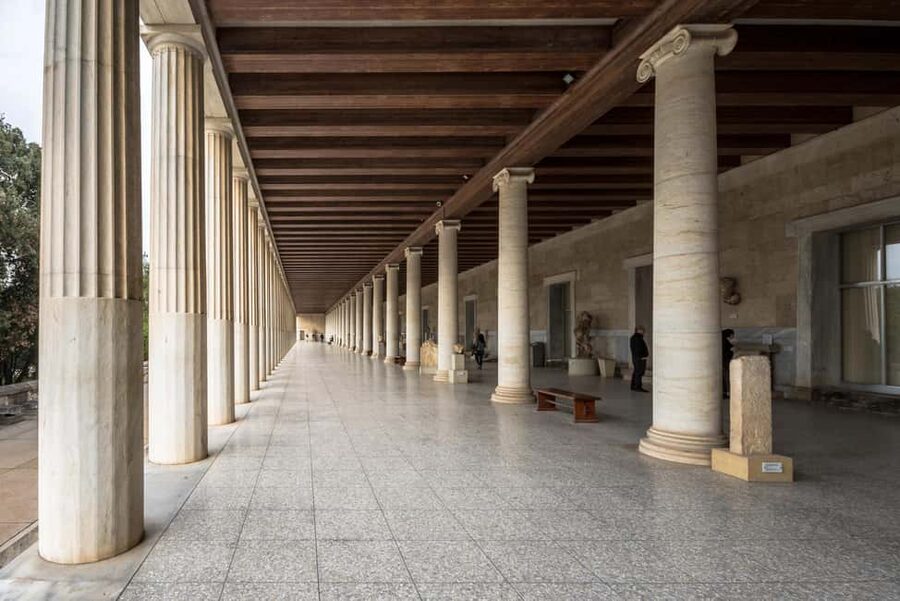
The Agora wasn’t only about speeches. It was about daily life, and that shows in how people moved through stoas (covered walkways) and approached temples.
The app’s role here is to connect structures to behavior:
- Covered spaces matter because they shape how people meet and wait.
- Temple areas matter because they shape how people organize belief and civic identity.
You might find it useful to pause, switch from audio to 3D, and then resume listening. When the site looks confusing, the reconstructions act like training wheels for your own interpretation.
5) Make a point of seeing the Temple of Hephaistos
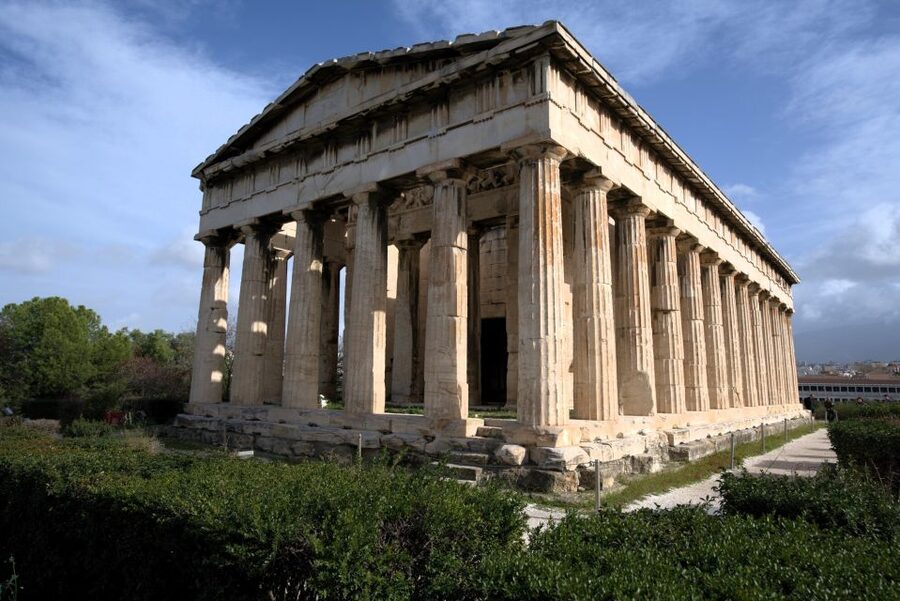
If you want one “don’t miss” moment, it’s the Temple of Hephaistos. It’s singled out as the finest preserved temple in Greece, so it’s the easiest place on the site to feel the scale of what’s left.
When you reach it, let the app do two jobs:
- Explain what you’re looking at.
- Show how it likely looked in the past.
This is where the “video + audio + 3D” approach can make the biggest difference. A ruin with strong preservation gives you a better base for comparison, and the app’s visual reconstructions help you connect the dots faster.
One more practical thought: the Temple is a landmark for the whole route. Even if you get temporarily lost in the app’s audio matching, you’ll have a recognizable reference point to reset your attention.
Price and logistics: value at $8, then the entrance ticket

The tour costs $8 per person and covers the smartphone experience. That’s not a huge amount. The bigger cost is the Ancient Agora entrance ticket, which isn’t included: full price 20€ or reduced 10€.
So is the app worth it on top of the ticket?
For many people, the value comes from avoiding two common problems:
1) Ruins without context can feel like homework you didn’t sign up for.
2) Crowds and time pressure can keep you from reading slowly.
At $8, the app functions like a low-cost “bring-your-own guide.” You’re paying for interpretation, offline access, and media that helps you visualize what’s missing.
But the content experience isn’t equal across all users. Some people want richer depth. Others want a more guided sense of where to stand and what to focus on. If you fall into the first category, you might decide the app alone feels too light for the ticket price you already paid.
Crowd-proof exploring: control your pace and skip the stress
One of the most practical perks is that it’s self-guided. You aren’t locked into a start time or a group rhythm. That matters at the Agora, because you can’t always predict the day’s foot traffic.
You can also take breaks without losing progress. When you’re using a normal audio guide that requires internet or constant loading, a break can be annoying. Here, the offline design is the point. After download, you should be able to keep moving without the worry of roaming charges.
And because you’re exploring independently, you can spend more time where your attention lands—maybe a temple view that clicks, or an area tied to philosophers, or the transition between civic space and everyday movement.
Language options: multiple languages are great, but audio matching still matters
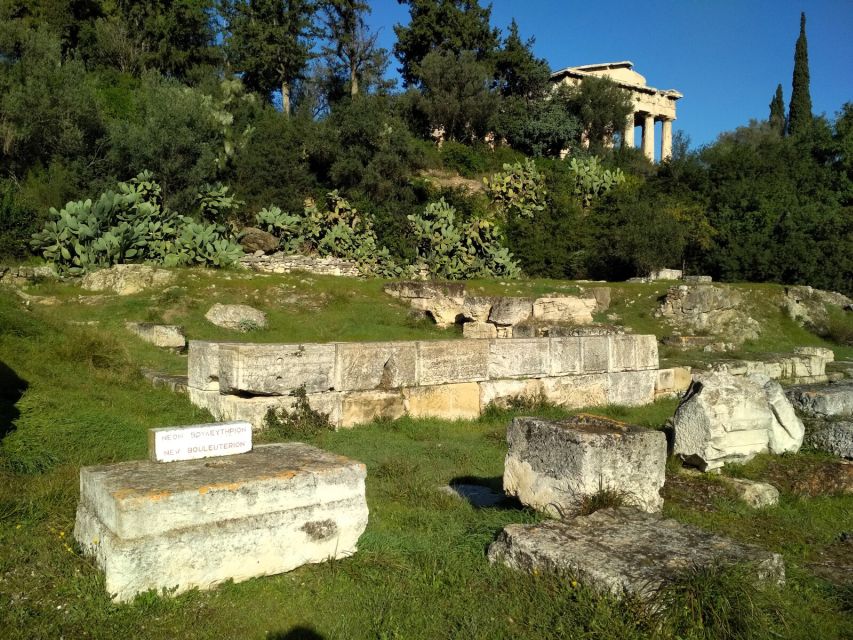
The app includes audio and text in English, Greek, German, Spanish, Italian, French, Dutch, and Chinese. That’s strong coverage. It also suggests the narration is designed for more than one type of traveler: not just classic Europe itinerary crowds, but also visitors who want local-language support.
Still, what language you choose doesn’t fix the biggest on-the-ground question: which narration goes with which monument.
Some people find it confusing at first. If you get that feeling, don’t force it. Stop, tap to confirm the location match, and use the 3D/360 content as your verification step. A good rule is: if you’re not confident the audio matches the stone in front of you, pause until you are.
Also, pay attention to signage. If there’s a sign in Greek that’s unclear or you can’t read it well, you might not get a direct audio cue. In that case, lean on landmarks and your own visual recognition.
Content depth: where this app shines and where it may feel too basic
The app delivers a lot of media types: 3D reconstructions, panoramas, short videos, plus audio and text. That’s an effective package, and the offline setup is clearly part of the thinking.
But “more media” doesn’t always equal “more insight.” Some users found the content can feel superficial or like it scratches the surface of what the Agora offers. That doesn’t make the app useless. It just means you should calibrate expectations.
Ask yourself what kind of learning style you like:
- If you want quick, clear explanations and help visualizing ruins, this app should work.
- If you want deep scholarship, detailed interpretation, and a lot of nuance at every stop, you might leave hungry.
There’s also a minor reality check: even with GPS, you may occasionally feel you’re doing extra work to connect the narration to the exact spot you’re standing in. That’s not a deal-breaker, but it can reduce how much you rely on the audio.
Who this tour suits best (and who might not love it)
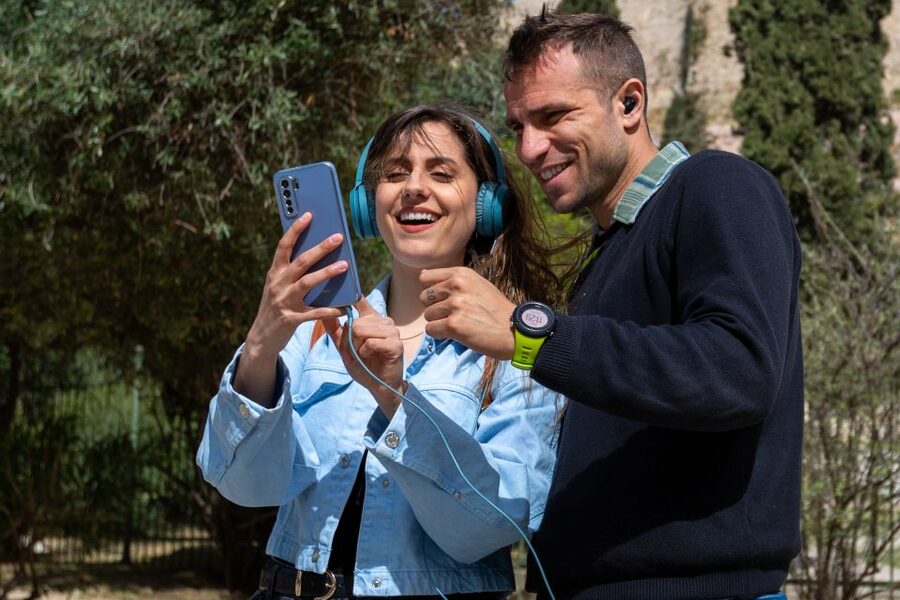
You’ll like this experience most if you:
- Want a budget-friendly way to add context to the Agora.
- Prefer exploring at your own pace rather than following a group.
- Need offline access so you can roam without worrying about signal.
- Want help imagining how monuments looked in the past using 3D and 360° tools.
You might be less satisfied if you:
- Strongly prefer a human guide who can adapt on the spot to questions.
- Expect heavy detail and long-form interpretation for every monument.
- Get frustrated easily when apps require you to match location cues.
In other words: treat it as a helpful companion, not a replacement for a full guided lecture.
Should you book the Ancient Agora self-guided tour?
If your main goal is to understand the Agora without spending extra money on a guided tour, this is a solid choice. The offline-first design and the combination of audio + 3D + 360° are genuinely practical for a ruin-filled site. At $8, the risk is low, especially since you’re buying the entrance ticket anyway.
If you hate any friction—downloading hassles, audio-location confusion, or content that feels lighter than you hoped—consider whether you might get more value from a guided option. If you’re happy to work at your pace and use the 3D views to anchor your questions, you’re likely to feel the app does its job.
FAQ
Is the entrance ticket included?
No. The Ancient Agora entrance ticket is not included. You must purchase it separately at the site or online.
How much does the self-guided tour cost?
The price listed is $8 per person for the smartphone tour.
How long is the tour valid after activation?
The tour is valid for 5 days from the first activation.
Does the app work offline?
Yes. After you download the content, it works fully offline, so you don’t need internet or roaming while on site.
What languages are available?
Audio and text are available in English, Greek, German, Spanish, Italian, French, Dutch, and Chinese.
How much space does my phone need?
You need about 200MB of storage space on your phone.
What devices are supported?
It requires iOS 11.0 or later and Android 5.1 or later.
Do I need to bring earphones?
Yes, you should bring earphones so you can listen to the audio narration.
What do I receive with the purchase?
You get a self-guided smartphone tour via an Android/iOS app, with audio narration and text, plus 3D reconstructions, panoramas, and short videos.